This page provides initial guidance on assigning readings in ways that align with the requirements of Title II of the Americans with Disabilities Act. It will be updated with more detailed information as recommendations from the Course Content Accessibility Action Team become available.
Articles
While it may not always be possible, one of the easiest ways to make your assigned readings more accessible is to pivot toward readings that are available in full-text HTML format. The guidance below articulates how to use UW Libraries to find full-text readings.
- Visit the UW Libraries page and input article keywords (such as author name and article title) into the library search bar.
- Locate the “Refine my results” section and select the option to filter your results for “Available Online.”
- Filtering this way will allow you to more easily identify full-text articles. Look for similar options when using specific databases (e.g., EBSCOhost, JSTOR) or searching in specific journals.
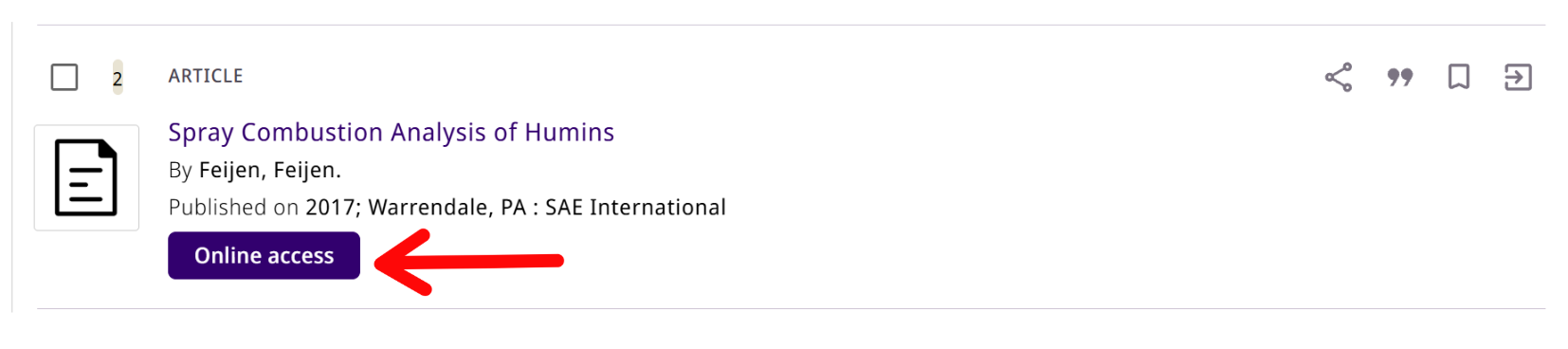
- Once you find an article of interest, click the link that provides access options for the article. Depending on where you are in the search process, this link may appear on the search results page or within the article’s record page. It may be labeled “Check for online access” or “Online access.”
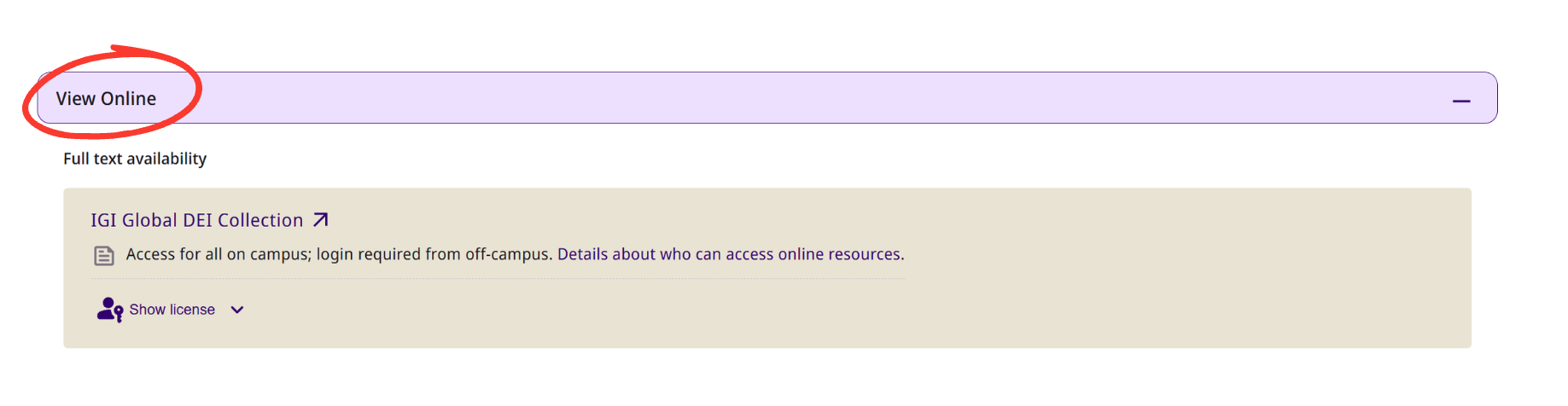
- If you cannot locate this link on the search results page or near the top of the record page, open the article’s record page and scroll to the “View Online” section, where you can find available online versions of the article and determine whether full-text access is available.
- Once you have determined full-text availability, locate the article’s permalink by selecting the three-dot icon connected by lines.
- Use the article’s permalink when sharing resources with students. Unlike the link in your search bar, which may be specific to your search and login information, this stable link will provide your students with consistent access to the resource. Visit the UW Libraries guide on finding permalinks for more detailed instructions on locating and copying a permalink.
While UW Libraries prioritizes the selection of digital resources that are compliant with the Americans with Disabilities Act, they cannot guarantee the accessibility of specific digital materials because they are often created by other institutions or publishers.
E-books
UW Libraries provides access to selected e-books through its online collections. Many (but not all) e-books offer full-text HTML access to a book’s content. However, e-book publishers may set limits on the number of people who can simultaneously access the e-book and may have different rules for whether chapters can be downloaded. The guidance below outlines how to use UW Libraries to find e-books and determine what restrictions govern their access.
- Search for an e-book in UW Libraries collections
- Confirm that the e-book provides full-text HTML access. If the e-book is actually a PDF, it may not be accessible.
- Check for access and use limits
- Use the permalink when sharing information about the e-book with students. Unlike the link in your search bar, which may be specific to your search and log in information, this stable link will provide your students with consistent access to the resource. Visit the UW Libraries guide on finding permalinks for more detailed instructions on locating and copying a permalink.
Textbooks
While the accessibility of any given textbook is largely outside the control of individual instructors, you do have the power to adopt an accessible textbook if one is available. Here are things to consider when exploring textbooks on publishers’ websites:
- Latest version of the textbook. Often publishers focus their accessibility improvements on the most recent edition.
- Availability in multiple formats (e.g., print, audio, Epub file). Because they use HTML, Epub versions of the textbooks are especially accessible.
- Ask publisher reps the following questions:
- Is there an equivalent, alternative textbook that is fully accessible?
- Is the text in the textbook or supplemental materials searchable? (i.e., the text is not an image)
- Do the images, figures, and tables have alt text?
- Is the interactive content offered by the publisher accessible?
The UW Bookstore has access to a number of resources that can be helpful when searching for accessible textbooks, including VitalSource, Verba Collect, and Day One Access. If you have questions about selecting an accessible textbook, reach out to the UW Bookstore. Please note: UW Tacoma instructors, please reach out to UW Tacoma Bookstore.
Need additional guidance or help troubleshooting? Contact help@uw.edu.